


Local listing checker :
see what's really holding your local visibility back
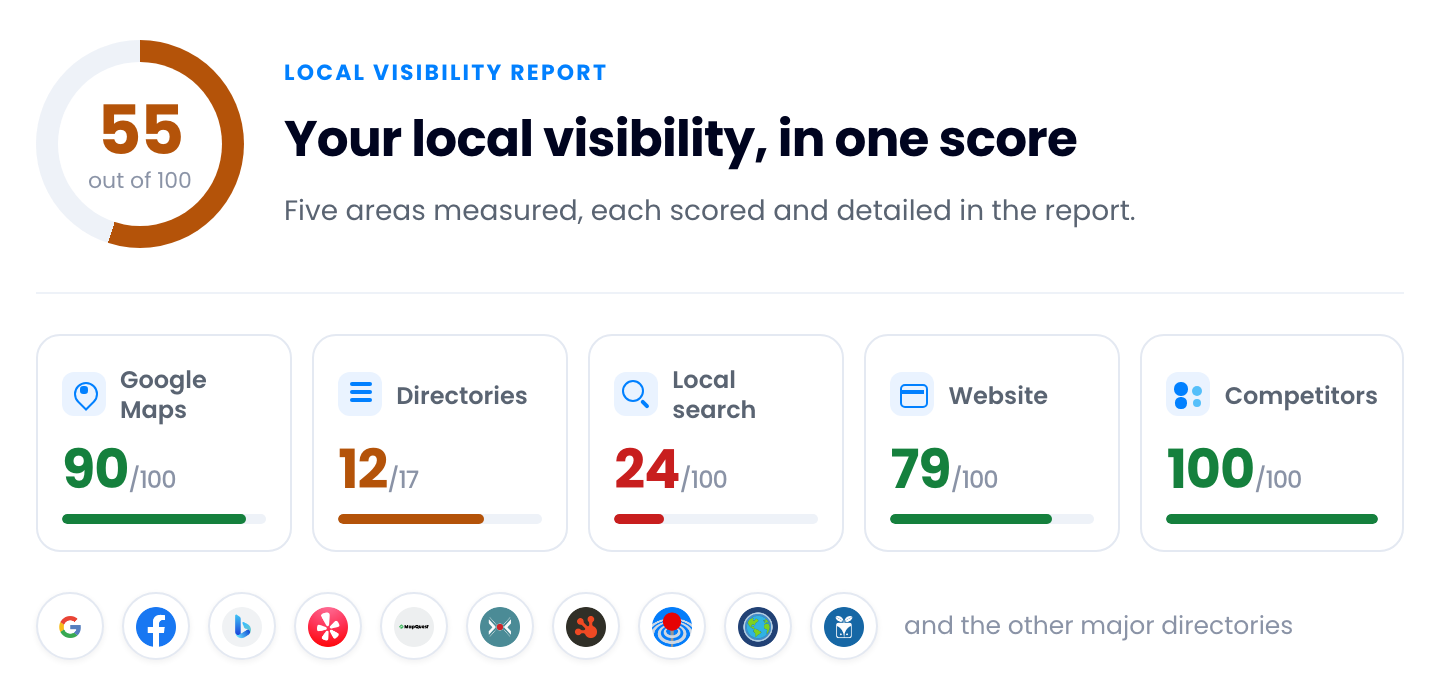
Check your business listings across the major directories in a single scan, then get a full local visibility report:
NAP errors, reviews, your Google Maps profile, local competitors and website performance. Free, in a few minutes — all it takes is your business details and an email.
How your free business listing scan works
Using our Local Listing Checker is simple and efficient
1. Tell us which business
Search for your business by name: when Google already knows the place, its address, city, postal code and phone number fill themselves in. Confirm the country and fill any gaps.
2. Confirm your email
We send a link to the address you gave, and it stays valid for ten minutes. Opening it starts the scan right away — no account to create, no sales call to sit through first.
3. Open your report
You watch the scan progress on screen, then the report opens by itself in your browser at a shareable address — keep it, forward it, or hand it to whoever owns the fixes.
What's inside your local listing report
Listings & NAP consistency
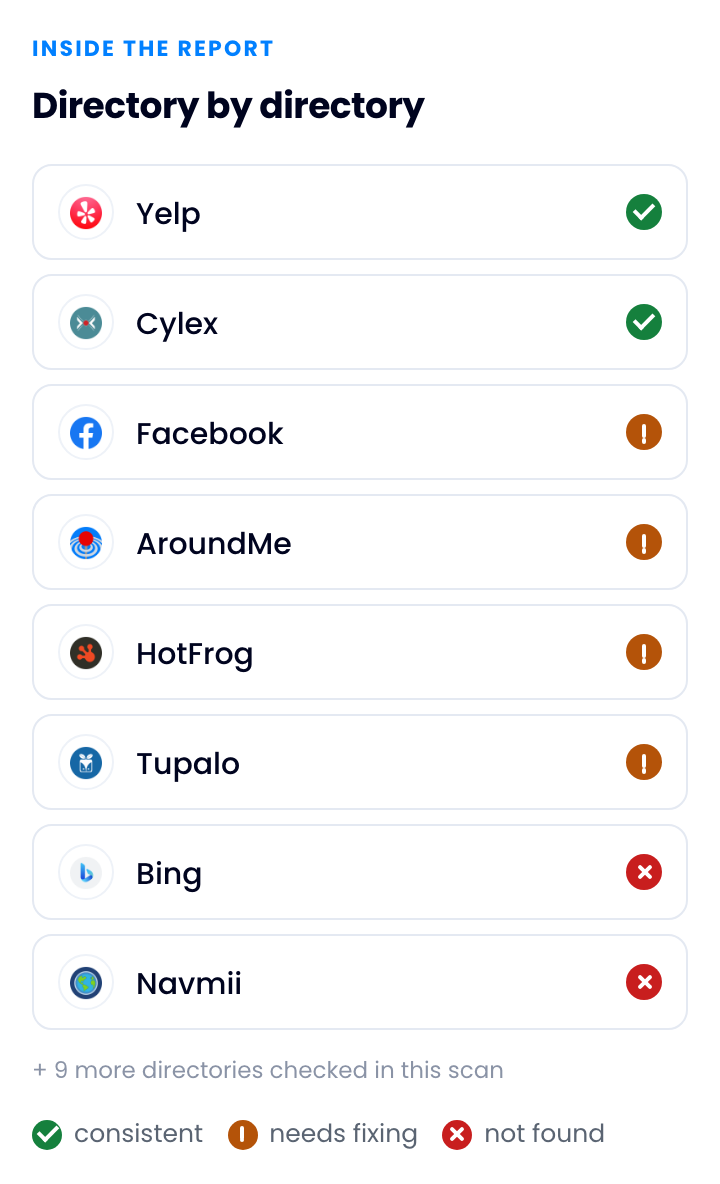
Where your business appears across the major directories — and where it is missing or still showing an old address or phone number. Every finding names the source it came from.
More on local listings and directories.
Reviews & reputation
Your Google review count and average rating, next to the review signals the businesses competing with you are showing.
More on online reputation and review management.
Map & search visibility
Your Google Maps profile as a customer sees it — category, hours, photos, description — plus where you land in the local pack and in organic results for the searches that matter near you.
Website & performance
Whether your site carries the local business structured data search engines look for, and how it scores on Core Web Vitals — the loading, responsiveness and stability measures Google reads.
More on tracking your local presence.
What is a local listing?
A local listing is the online entry that identifies a business on a directory, map or search platform, carrying its name, address, phone number, opening hours and category so that search engines can confirm the business exists at a given place and customers can find it. The same business usually has one on every major platform, and each is maintained separately.
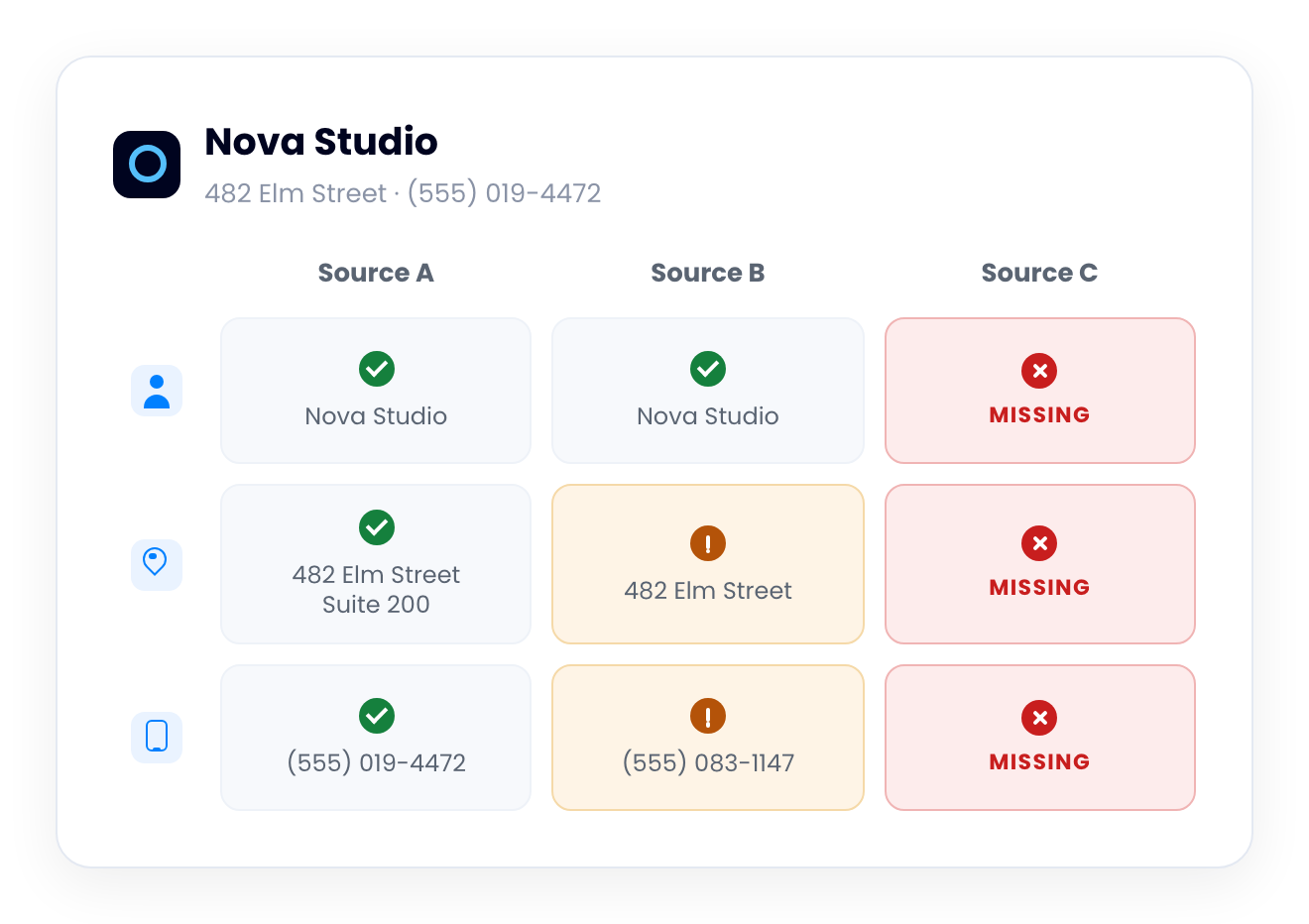
Taken together, those entries are known as local citations, and search engines compare them to decide how far to trust a business. When the name, address and phone number — the NAP — disagree from one source to the next, that trust erodes.
Why you should check local listings regularly
Be found at all
Search engines and map apps surface the businesses they can identify with confidence. A location missing from a directory, or filed under the wrong category, simply does not appear when someone nearby searches for what you sell.
Look like the same business everywhere
Someone who finds two different phone numbers for you, or an address you moved out of years ago, does not conclude that one entry is out of date. They conclude you have closed, or that they have the wrong company.
Stop sending customers to a locked door
Wrong hours send someone to your door after you have locked it. A dead phone number ends the call before it starts. Each of those is a wasted trip, and often the bad review that follows it.
For agencies and multi-location brands
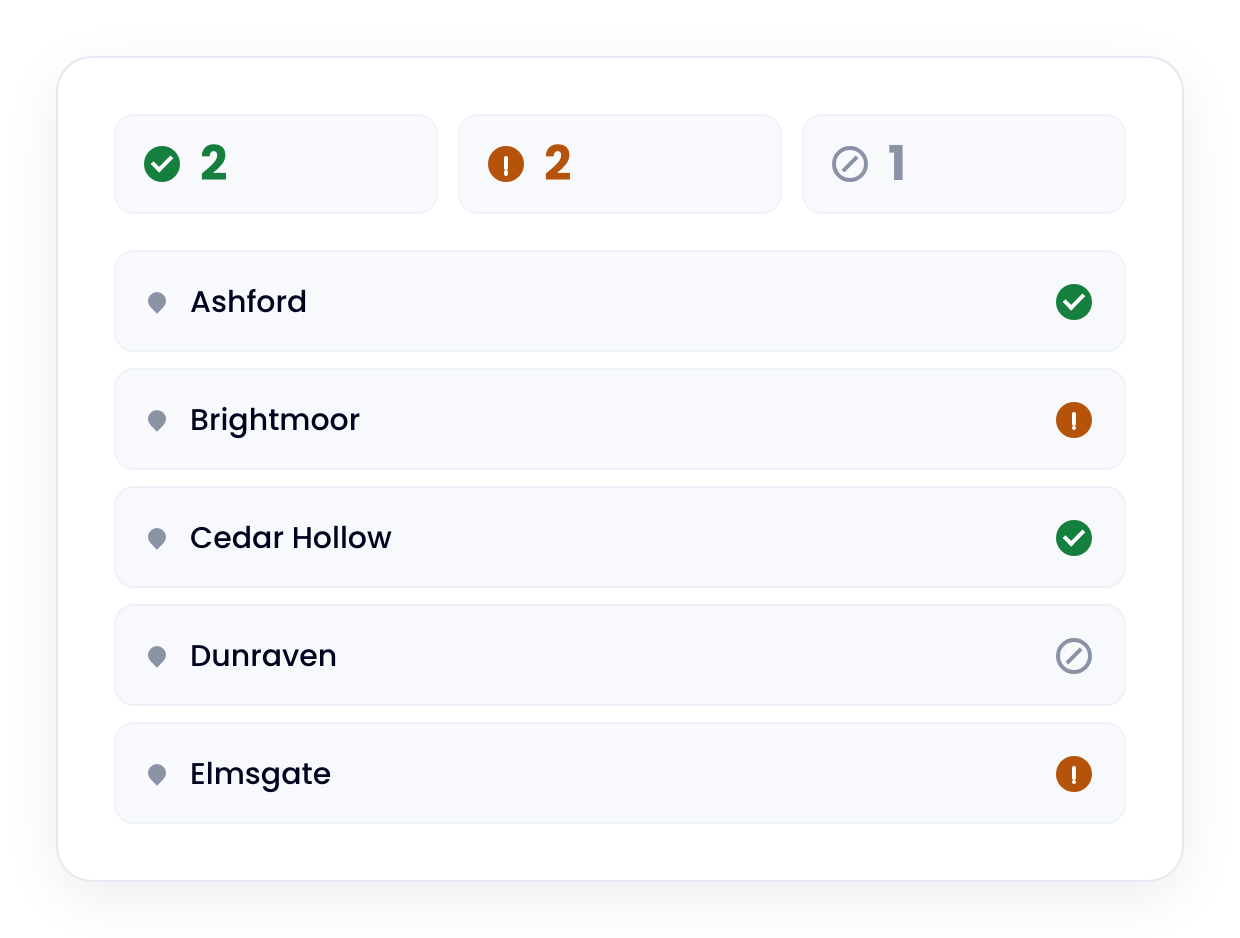
This scan checks one business at a time. When you answer for a whole network of addresses, the Dilypse platform manages them as one — every location's listings, reviews and profiles from a single dashboard, consistent everywhere.
It also closes the loop: what the report flags, the platform fixes and keeps fixed.
Agencies can resell it under their own brand and their own pricing — their domain, their logo, their reports.
Frequently asked questions
What is the best way to audit local listings?
Start with an automated scan across the major directories, then verify by hand. A scan shows where the business appears, where it is missing and where the name, address or phone number disagree. Manual review then confirms which mismatches matter and which are simply old duplicates.
Which local listing tool is easiest?
The easiest tools return a full report with no account to open and no sales call to sit through. Dilypse's scan works that way: enter the details of the business you want checked, confirm your email, and the report opens in your browser when the scan finishes.
Can I track local listing accuracy?
Yes. A single scan compares every directory at once and flags the ones that disagree. Accuracy is worth tracking over time, because directory data drifts whenever hours change, a number is reassigned or someone edits an entry you do not control. The Dilypse platform tracks it for you.
Is the scan really free, or is part of the report held back?
Yes, genuinely free: the scan runs and the report opens, with nothing to unlock, no credit card and no account. What is not free is the fixing — correcting and syncing listings, managing reviews and keeping a network accurate is what the paid Dilypse platform does.
What happens to the information I enter?
Your business details tell the scan which listings to check, and your email receives the link that starts it, then lets us follow up with you about your report. We do not sell, rent or trade personal information, and you can request deletion at any time.
Find out where your listings stand
The scan takes your business details and an email, and comes back with the full picture of your local visibility — including the parts you cannot see.